Ad storyboard examples: see the sequence before the shoot
Show the team how the ad will play out before the shoot. Add the action, spoken lines and text to each frame.
2 original production assignments
Production plans. Verify product facts and proposed copy before filming.
2 openings for a refillable bottle
Opening A
0–3 seconds · Frame notes
- Time
- 0–3 seconds
- Planned picture
- Bottle upright beside a hand, with space for a short line.
- Action / transition
- Hand picks up the bottle. Cut on the lift.
- Text or audio cue
- Fill it. Take it with you.
- Evidence / review
- Check silhouette and readable text on the actual bottle.
Opening B
0–3 seconds · Frame notes
- Time
- 0–3 seconds
- Planned picture
- Close view of the cap and neck.
- Action / transition
- Hand removes the cap, then cut to the shared filling shot.
- Text or audio cue
- Ready for a refill?
- Evidence / review
- Confirm the cap opens as shown. This is the alternate opening.
Shared frame 2
3–7 seconds · Frame notes
- Time
- 3–7 seconds
- Planned picture
- Bottle neck and water stream remain in view.
- Action / transition
- Fill the team's own bottle. Keep the opening visible.
- Text or audio cue
- Your daily refill.
- Evidence / review
- Product owner checks the intended filling method.
Shared frame 3
7–11 seconds · Frame notes
- Time
- 7–11 seconds
- Planned picture
- Bottle and removable cap on a clear surface.
- Action / transition
- Show the parts the team has verified can be washed.
- Text or audio cue
- On-screen care cue must match the actual instructions.
- Evidence / review
- Do not imply dishwasher compatibility without verification.
Shared frame 4
11–15 seconds · Frame notes
- Time
- 11–15 seconds
- Planned picture
- Bottle beside the team's own bag, with clear text space.
- Action / transition
- Hold the product and destination long enough to read.
- Text or audio cue
- See the bottle. Use the actual brand and destination.
- Evidence / review
- Editor checks CTA readability in both export shapes.
Assignment assumptions
Brief: make 2 15-second ads for a refillable water bottle. This plan assumes the cap comes off and the bottle can be washed. Check both with your product owner. Choose opening A or B, then follow the 3 shared beats. We wrote this as a plan, without campaign results.
Team review and variant handoff
- Creative lead approves the product facts and both opening ideas before the shoot.
- Capture each opening separately. Editor builds BOTTLE-A-V1 and BOTTLE-B-V1 from the same shared body and closing shot.
- Compose the shoot for a 9:16 export and check a separate 4:5 version. Reframe your own footage where needed instead of cutting off the product or required copy.
- Compare the openings with the same audience, placement and measurement window. Use your own baseline and decision rule. Record the export version, owner and review date.
2 openings for a travel organizer
Opening A
0–4 seconds · Frame notes
- Time
- 0–4 seconds
- Planned picture
- Organizer already hanging open, viewed straight on.
- Action / transition
- Hand points to the compartments. Cut to packing.
- Text or audio cue
- See where everything goes.
- Evidence / review
- Keep the hanging support and compartment layout visible.
Opening B
0–4 seconds · Frame notes
- Time
- 0–4 seconds
- Planned picture
- Own travel items beside the closed organizer.
- Action / transition
- Hand brings the organizer into the same frame.
- Text or audio cue
- What do you pack first?
- Evidence / review
- This is the alternate opening, not the next frame.
Shared frame 2
4–10 seconds · Frame notes
- Time
- 4–10 seconds
- Planned picture
- Open organizer fills most of the view.
- Action / transition
- Place 3 verified travel items into separate compartments.
- Text or audio cue
- Use an original packing sequence with natural handling sound.
- Evidence / review
- Show only items that actually fit. Capture an uninterrupted take.
Shared frame 3
10–15 seconds · Frame notes
- Time
- 10–15 seconds
- Planned picture
- Close view of a compartment and its fastening.
- Action / transition
- Close it with the item in view, then return to the wider setup.
- Text or audio cue
- Keep the fastening visible.
- Evidence / review
- Do not imply a waterproof or protective claim from this view.
Shared frame 4
15–20 seconds · Frame notes
- Time
- 15–20 seconds
- Planned picture
- Packed organizer hanging open with space for the destination.
- Action / transition
- Hold, then finish on the team's own brand and page.
- Text or audio cue
- Explore the organizer.
- Evidence / review
- Review product, text and destination together before exporting.
Assignment assumptions
Brief: make 2 20-second ads for a travel organizer. This plan assumes it hangs open and has separate compartments. Check those features with your product owner. Choose opening A or B, then follow the 3 shared beats. Use your own product, setting, copy and footage. We haven’t measured results for this plan.
Team review and variant handoff
- Product owner confirms the actual compartment layout, hanging method and items the organizer can hold.
- Shoot lead labels the 2 openings separately. Editor builds BAG-A-V1 and BAG-B-V1 with identical packing and closing beats.
- Capture a wide safety take and a close detail take. Check product visibility and text in every intended export shape.
- Have the creative lead review the finished cut before launch. Keep the offer the same when comparing the openings, then review your own test results.
A storyboard gives the team a shared picture of the ad before anyone sets up a camera. Plan what appears in each frame, what changes and which product detail the viewer needs to see.
Blank and completed downloads
Open the CSV files in your spreadsheet app. Read the worksheet in a public Google Doc and make your own copy to edit.
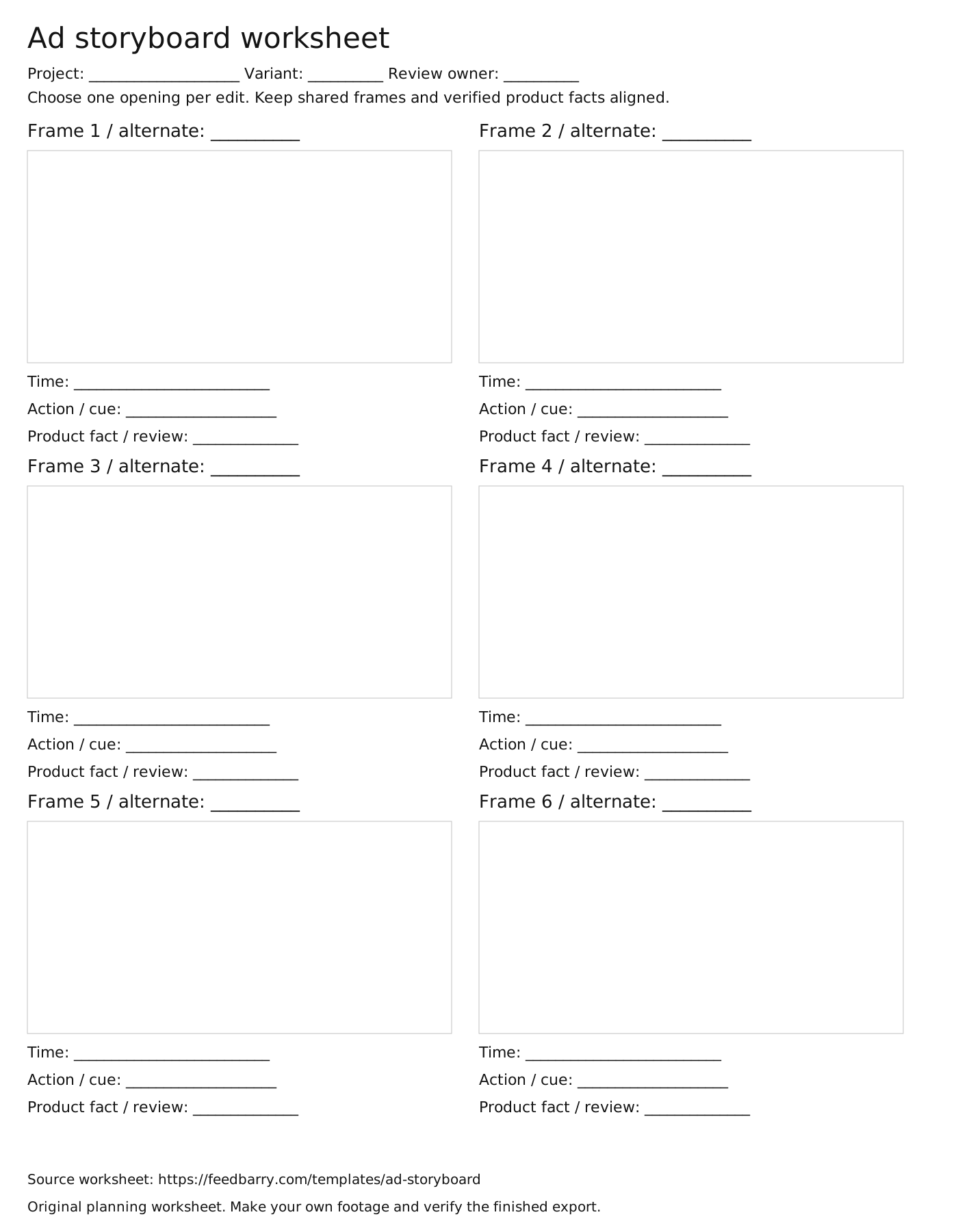
The printable SVG has 6 empty drawing areas with timing and cue fields. Print it or edit its vector shapes in your own design app.
How to read these storyboard examples
These 2 practice storyboards each have 2 opening options and a shared body. Check that the planned picture, action and message agree. We wrote these short ad plans ourselves. They do not recreate the advertiser references.
- Compare opening A with opening B as alternatives. Choose one for each edit, then follow the shared frames in order. Playing both openings would change the intended assignment.
- Open the frame notes and check the planned view against its cue. For the bottle, the cap and filling views need different coverage. For the organizer, the full layout and fastening detail answer different questions.
- Give the shot-list owner each required view and give the editor the selected opening and shared assembly order. Review your own product facts and the actual footage before treating the planned drawing as a usable shot.
Use it in the production handoff
Use the storyboard to agree on the shots before the shoot. Each example has 2 opening options followed by the same body and close.
- Start with the product fact and audience question in your approved brief.
- Sketch the shot and note the detail people need to see. Check it again with the real product and footage.
- Mark alternate openings explicitly. Choose one opening for each edit instead of playing both in sequence.
- Give the shoot lead the required views and give the editor the assembly order. Check each export shape before approving the cut.
Reference a view, then make your own work
These existing ad references help discuss framing and product visibility. The completed production assignments above are original plans, not reconstructions of these advertisers’ scripts or shoots.
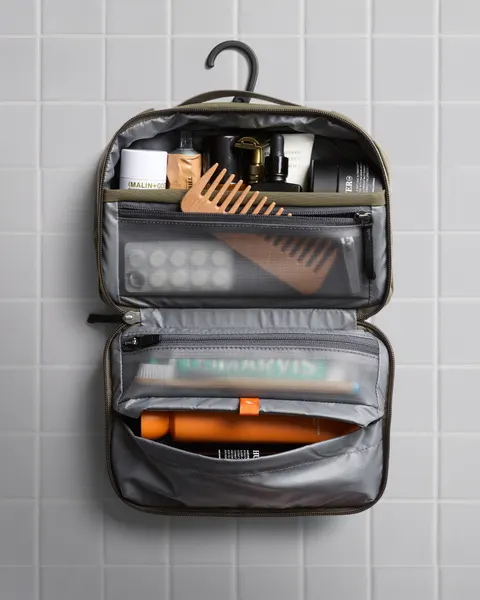
An open hanging toiletry bag makes the separate compartments and contents visible.
What to look for: Which observable framing choice belongs in our own brief?
Try this: Describe the view you need and create your own imagery. Public creative does not establish advertiser results or permission to reuse it.
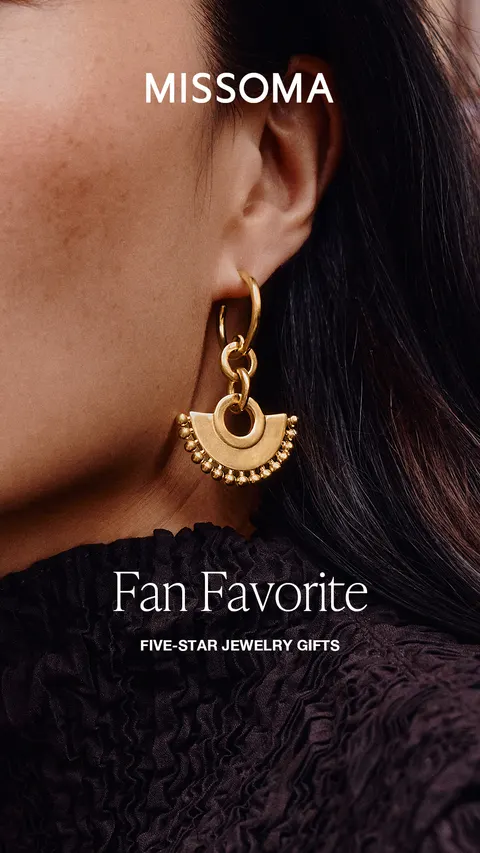
A worn earring sits beside a cropped face.
What to look for: Which observable framing choice belongs in our own brief?
Try this: Describe the view you need and create your own imagery. Public creative does not establish advertiser results or permission to reuse it.
Keep the related documents aligned
A storyboard plans the frames, a shot list plans the capture and a script aligns words with action. Keep the same variant IDs and review owners across them.
Bring the reference set to your team
We help you collect ad references on the Infinity Board. Pro lets you save a selected set to a named board and share it with your team on desktop. Keep your script, storyboard and production files in the tools your team uses.
Plan the opening and its review
Storyboarder, Storyboard Pro or an ad-planning template?
Storyboarder is Wonder Unit’s named drawing and storyboarding software. Its public page describes drawing boards, adding action/dialogue and timing, arranging the sequence, and making animatics. It also describes exports and a paper-to-digital workflow. We have reviewed the publisher’s description, not installed or tested the software. Check the current download and system requirements with Wonder Unit.
Storyboard Pro is Toon Boom’s separate preproduction product. The publisher describes developing boards, refining visual storytelling and timing camera moves in an animatic. If your production needs a drawing/timing environment, evaluate the actual files, audio, team handoff and hardware it must support. A document of rectangles is not equivalent to that software.
Our template below plans an advertising sequence: what the viewer sees, what happens, the proposed words and the fact to check. It does not install either product or provide their drawing engine. Use it to agree the assignment before choosing how to draw or produce the boards. Our existing storyboard builder lets you edit and reorder planning frames; its behavior remains separate from AI scene generation.
Original handoff exercise: plan a pouch opening, continuous packing and cable retrieval. First review whether the action answers the product question. Then, if timing or camera movement changes that explanation, make an animatic in your chosen production software and compare it with the plan. Inspect the actual export rather than assuming a feature list guarantees your workflow.
Planning notes: Read the frame before approving the sequence
Read the frame before approving the sequence
The 10 original planning drawings above show the bottle and organizer assignments. Check what the crew and editor need in each field. Opening A and Opening B are alternatives, not consecutive shots.
- Frame + time
- Opening A · 0–3 seconds. Choose this OR Opening B.
- Picture + action
- Bottle upright beside a hand. Hand lifts it. Cut on the lift.
- Cue + review
- Fill it. Take it with you. Confirm silhouette and readable text on the actual bottle.