Black Friday sitewide sale ads: make the scope clear
A sitewide sale can still leave a shopper with questions. Who can use it? What does the second percentage cover? We compare 2025 Black Friday ads to help you make those answers clear beside your own offer.
Compare the creative choices
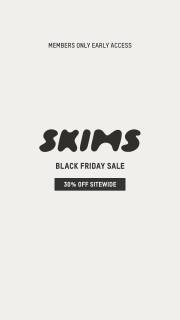
Members-only access and the sitewide offer
SKIMS puts Members Only Early Access above its wordmark and 30% off sitewide. The access rule is part of the main message instead of being left for someone to discover after clicking.
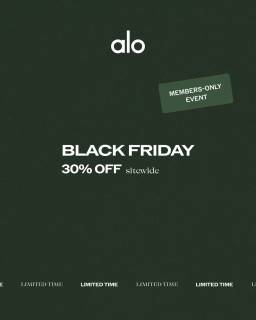
A sitewide offer with members-only access
Alo centers Black Friday and 30% off sitewide, with a members-only label above and Limited Time below. Keep the access rule with the discount when planning your own version.

The sitewide claim and its qualifier
Fenty Beauty puts Cyber Week and 30% off sitewide above up to 60% off selected items. The products sit below the offer, leaving room for both discount conditions.
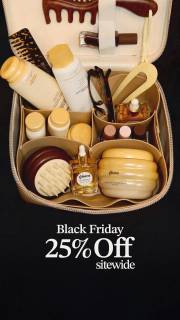
A product arrangement around a Black Friday offer
Gisou shows the products together in an open bag above Black Friday 25% off sitewide. The product photo explains what the sale is about before the offer line below it.

Keep the sitewide rate separate from the higher tier
Violette places 20% Off Sitewide and 25% Off Orders $150+ USD in two neighboring columns over a model portrait. Sitewide describes the 20% rate; the higher rate has a spending condition. Keep that distinction visible instead of presenting the larger number as the unrestricted offer.
What to look for: How are the broad offer and its conditions presented together?
Try this: Write what each percentage applies to. Check that the largest number cannot be mistaken for a discount on everything.
Identify what the largest promise covers
Read sitewide with the words around it. SKIMS and Alo add a members-only condition. Fenty Beauty combines 30% off sitewide with up to 60% off selected items. Write down what each percentage covers. A pictured product alone doesn't confirm that it qualifies for the offer.
Separate access from product exclusions
Explain who can shop separately from what they can buy. Membership is an access rule. An excluded collection is a product rule. Put both in the brief and confirm them with the offer owner. Then keep the conditions someone needs to decide beside the headline.
Avoid making the second percentage look universal
Keep each percentage attached to its own condition. In Fenty Beauty's ad, the larger saving applies to selected items. For your layout, give each offer enough space that the numbers don't blur together. Check it at feed size and ask someone to explain both discounts.
Show the same offer after the click
Send people to the products the ad promises. Gisou shows a group of products above its sitewide offer, but the still doesn't list every eligible item. For your sale, decide whether the link opens the eligible range, a curated page or 1 product. Check that any exclusions are clear there too.
The offer is 15% off the standard desk-accessory collection, excluding replacement parts and engraved orders. Give that complete rule to the writer before choosing a shorter line. In this exercise, 15% off desk essentials is a better fit than sitewide because there are excluded purchase types. Ask the designer to keep the exclusions beside the main offer and show the 3 labeled products clearly. Then open the planned collection page and compare its products and terms with the ad. Have a reviewer explain what they could buy with the discount and what they couldn't. If the image suggests a broader offer than the page, change the headline or qualification before the export is accepted.
Use the worksheet
The completed example separates what we can see in the ads from our own plan. Use the blank worksheet for your product details, supporting sources and the people reviewing the work.
Start with the blank worksheet, or read the filled-in example to see how to use it. You can copy either one.